

Popular Pokies

Whispers of Seasons

Fruit Savers Slot

Temple Totems

Hot Pots Master

Horseman's Prize

Liberty Wins

Fortunate Zeus

Regal Reels

Shogun Princess Quest

Hades Flames of Fortune
Guide to Crocoslots Casino Login and Sign Up for Australian Players
When I first explored the platform as an Australian player, setting up my account and completing my initial Crocoslots casino login was remarkably fast and intuitive. Having a straightforward registration process makes a huge difference when you want to dive straight into your favourite online pokies and table games without getting delayed by complicated forms. Below is my detailed walkthrough of how to register, fill out your profile, log in, and manage your cashier settings based on my actual setup experience.
How to Sign Up at Crocoslots Casino
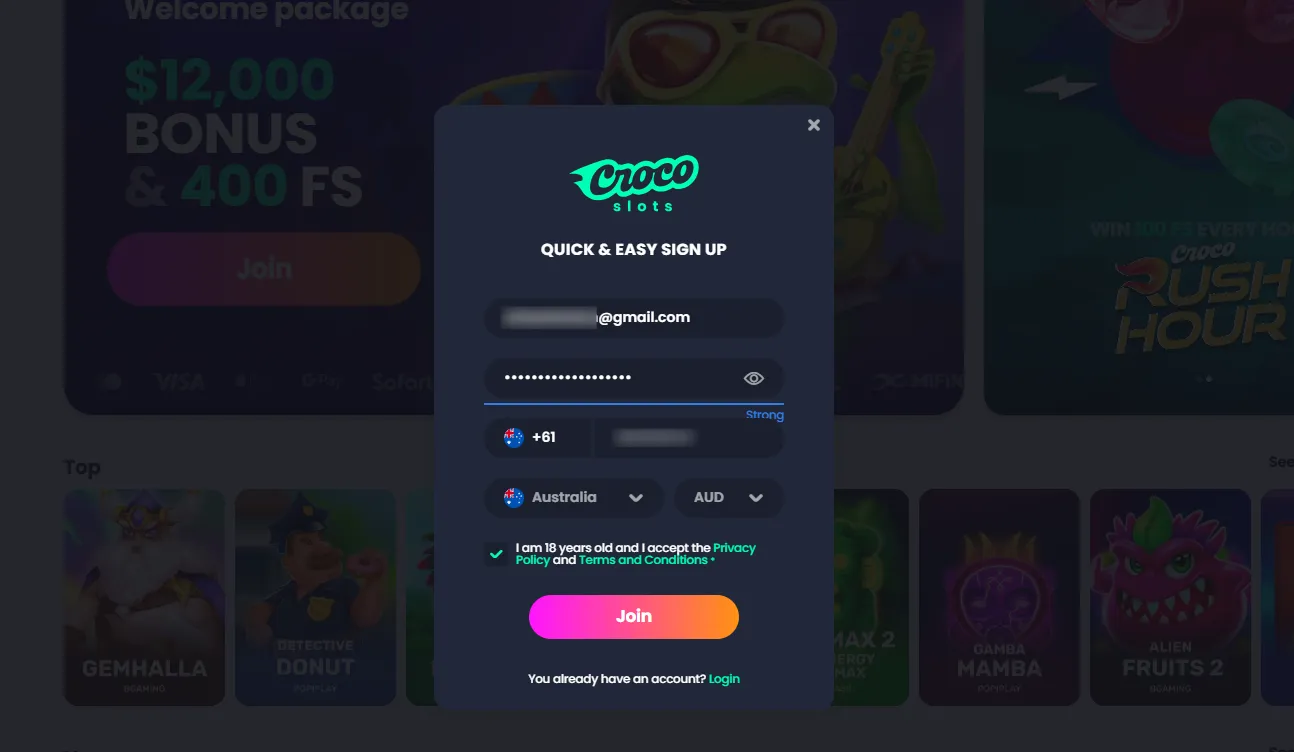
To begin the registration process, head to the main homepage and click the bright pink and orange Join button located in the top-right corner of the header bar, or click the Join prompt directly on the central welcome banner. Clicking either option opens a streamlined overlay window titled Quick & Easy Sign Up.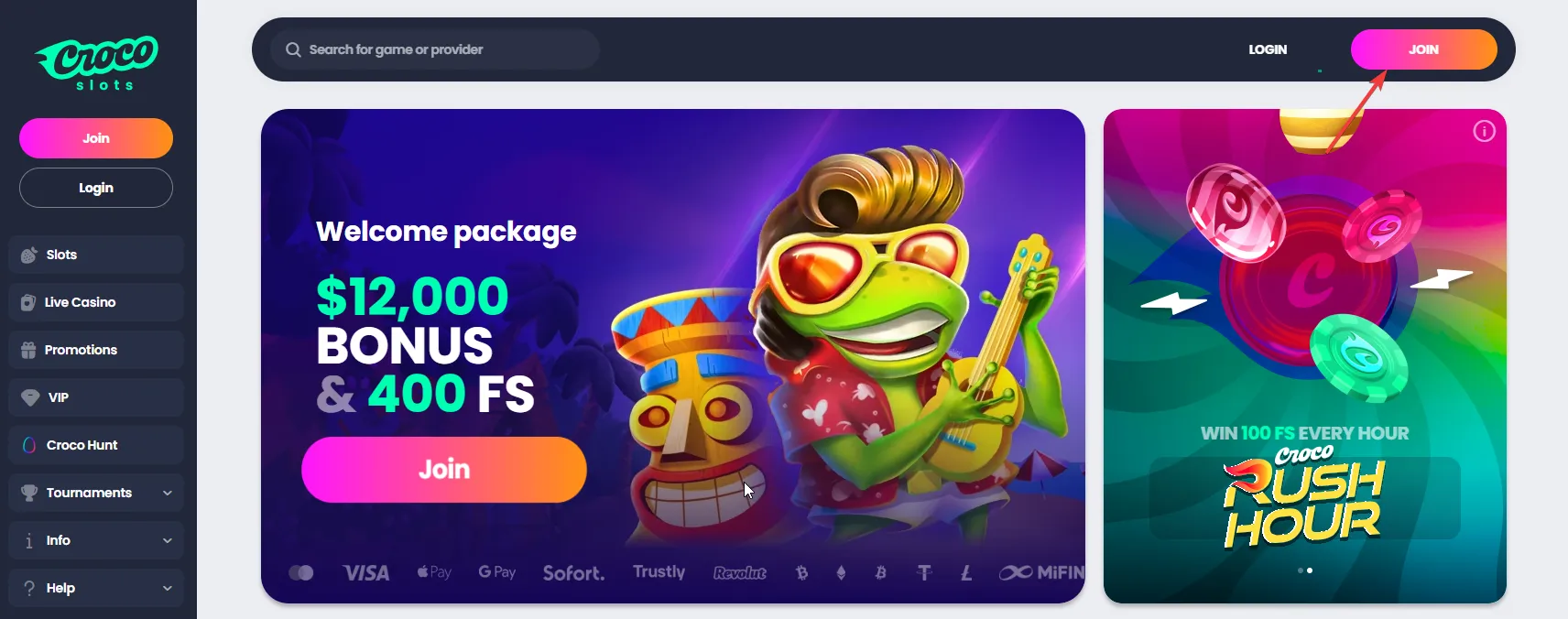
To complete the initial registration form, follow these steps:
- Step 1: Enter your primary email address, which serves as your main account login identifier.
- Step 2: Create a secure password. The input box includes a visual strength indicator to help you create a strong credential, along with an eye icon to toggle password visibility.
- Step 3: Enter your mobile phone number. The form lets you pick the +61 regional dialling code for Australia from the flag dropdown menu.
- Step 4: Select Australia from the country selection list.
- Step 5: Choose AUD as your preferred operating account currency so all wallet balances, deposits, and wagers display in local Australian Dollars.
- Step 6: Check the mandatory agreement box confirming that you are at least 18 years old and that you accept the Privacy Policy and Terms and Conditions.
- Step 7: Click the prominent Join button at the bottom of the window to finalize your registration.
Completing Your Personal Profile Details
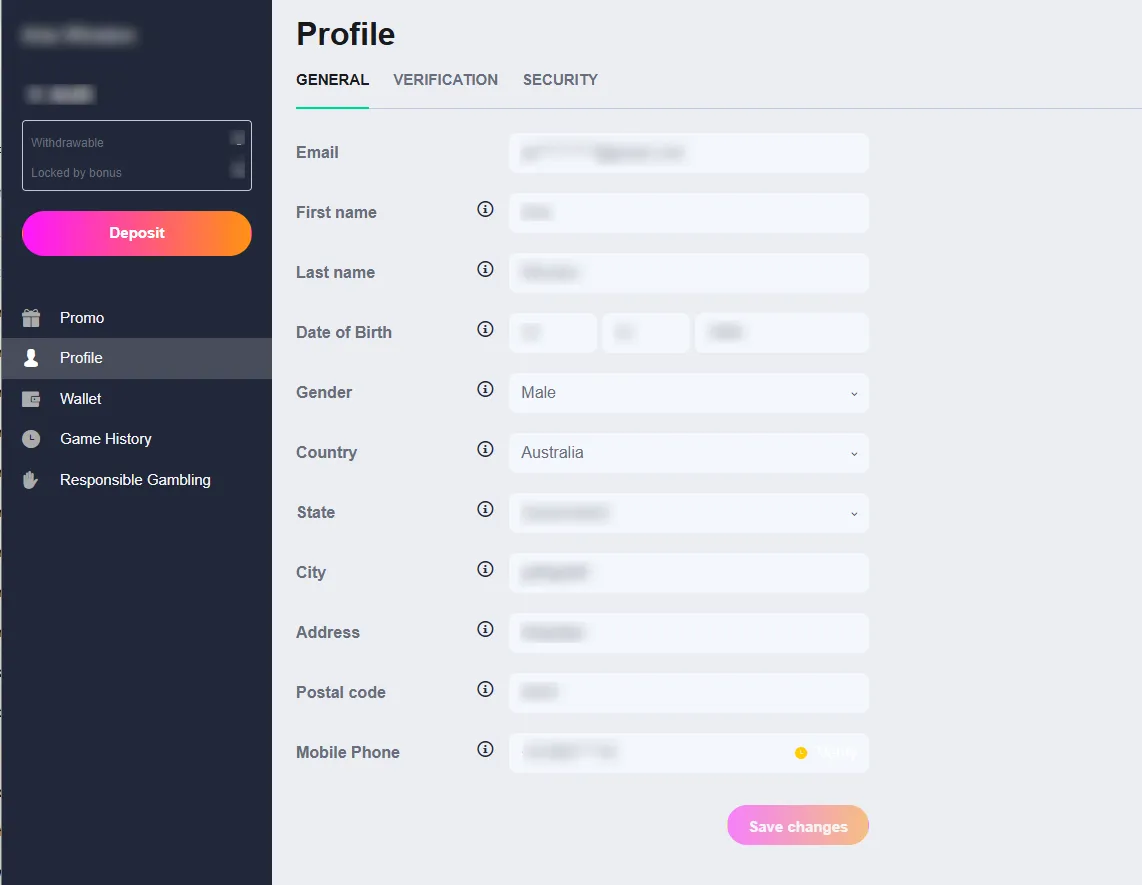
Once your account is created, navigating to the Profile area under the General tab is essential for finalizing your personal identity details before requesting withdrawals. From the main left-hand menu, select Profile to open your personal information dashboard.
In the General profile tab, you will need to fill out and confirm the following fields:
- Email: Displays your registered email address.
- First name and Last name: Enter your legal name details, as shown in my setup with Aria Winston.
- Date of Birth: Input your exact birth date across the day, month, and year fields.
- Gender: Choose your gender from the dropdown list.
- Country and State: Ensure Country is set to Australia and pick your state, such as Queensland.
- City, Address, and Postal Code: Provide your current residential address details.
- Mobile Phone: Displays your registered number along with a yellow Verify button to confirm your contact details via SMS.
- Click the Save changes button at the bottom right corner to save your information securely.
The Profile page also includes separate tabs for Verification, where you can upload identity documents for KYC checks, and Security, where you can manage password updates and two-factor authentication.
Executing the Crocoslots Login
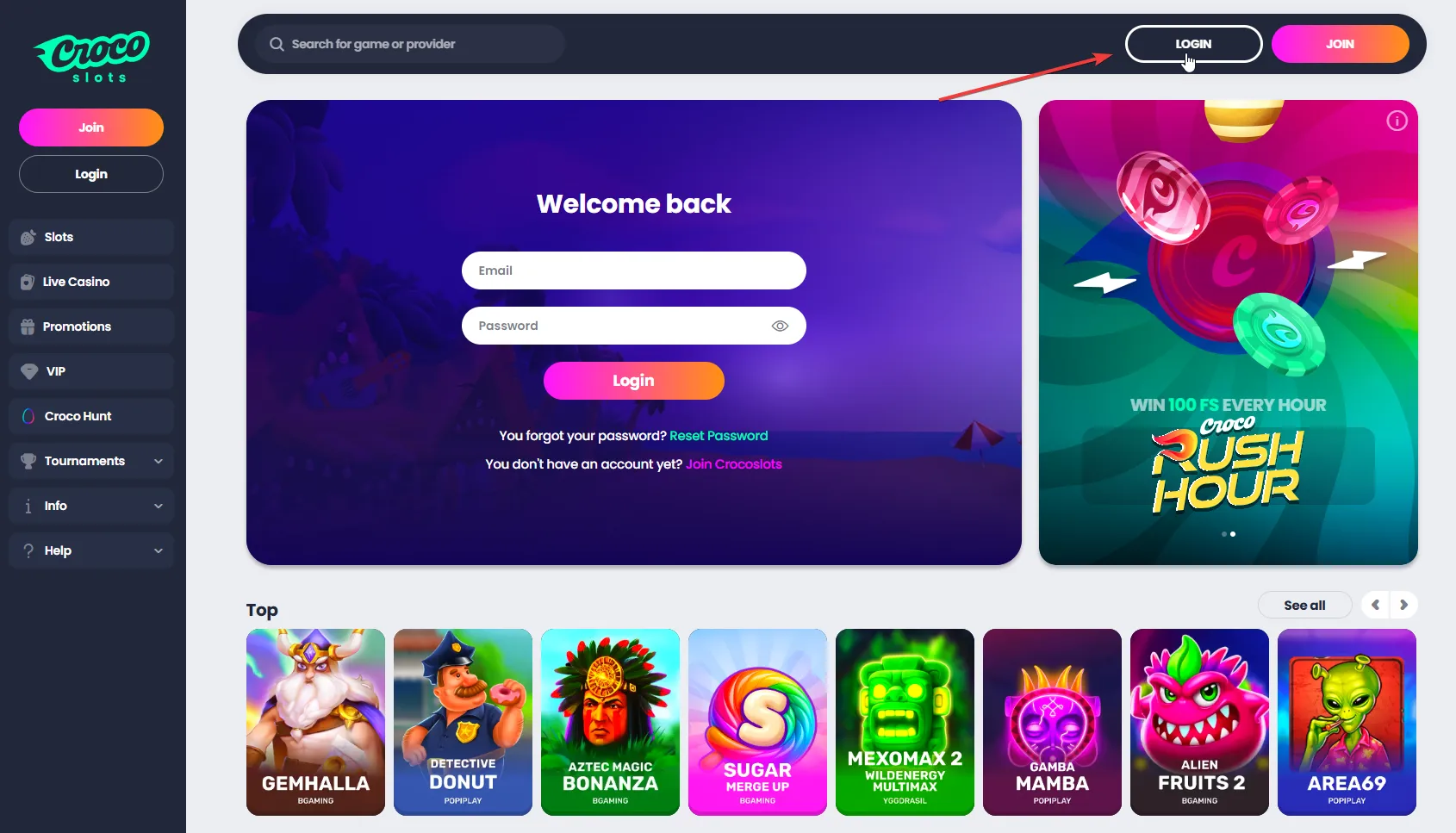
For returning gaming sessions, executing a Crocoslots login is simple and fast. You can access the authentication form by clicking the Login button in the top header bar next to Join, or by using the embedded login form on the main landing page.
When the Welcome Back popup overlay appears, complete these quick steps:
- Step 1: Type your registered email address into the top input field.
- Step 2: Type your password into the second field, using the eye icon if you need to double-check your typing.
- Step 3: Click the central pink and orange Login button to access your dashboard.
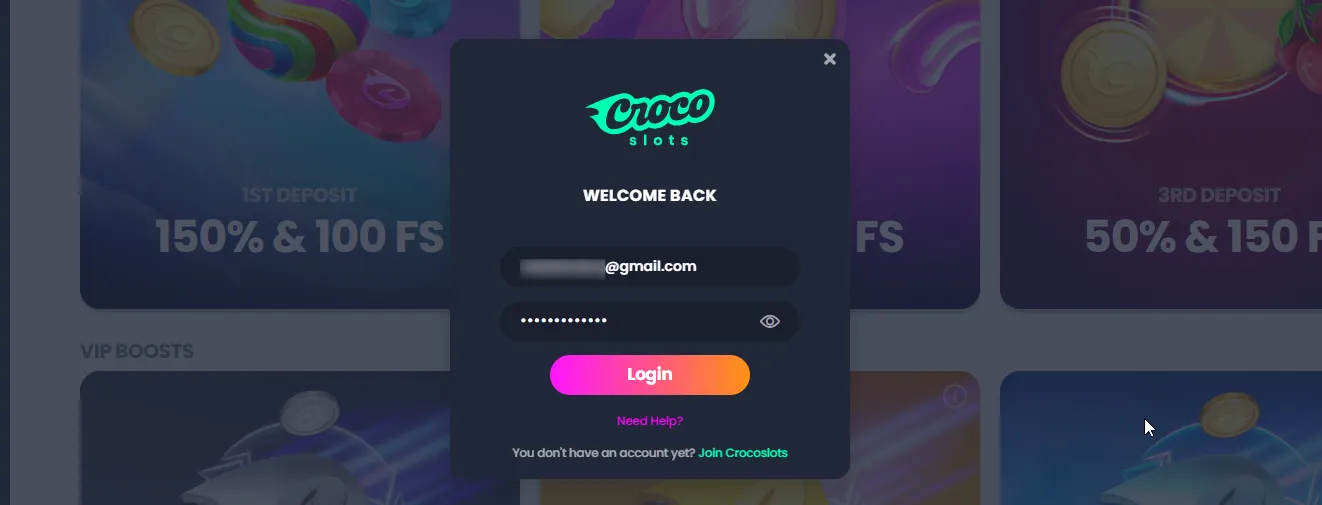
If you ever forget your password, a Reset Password link is located directly below the form fields. If you are accessing the platform on a mobile or desktop web browser, the Crocoslots casino login Australia system authenticates your details instantly and keeps your wallet synchronized across devices.
Making Your First Deposit in AUD
After completing your Crocoslots login, funding your wallet in AUD is handled through the Quick Deposit pop-up modal. Clicking the pink Deposit button in your account header or dashboard opens the cashier menu.
The cashier supports a wide range of payment methods tailored for Australian players:
- Pre-paid Vouchers: Neosurf (featuring instant processing with limits ranging from 30 to 6000 AUD).
- E-Wallets: MiFinity.
- Cryptocurrency Channels: Bitcoin, Ethereum, Litecoin, Dogecoin, Bitcoin Cash, Binance, Cardano, TRON, USDT, and Ripple.
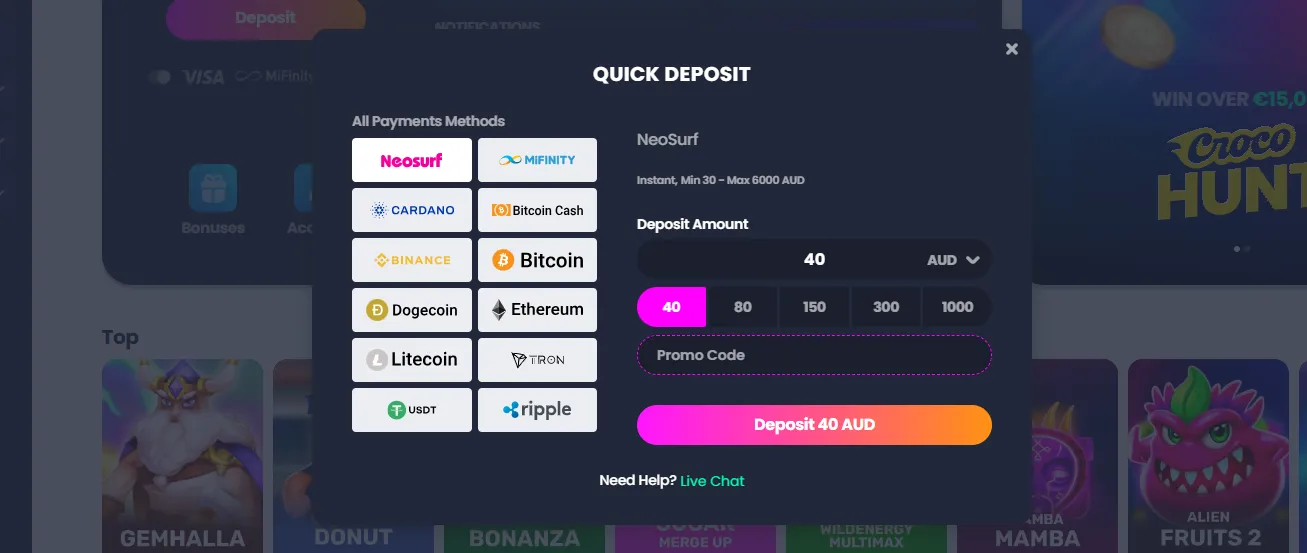
To complete a deposit transaction, select your preferred payment processor on the left side of the window, pick a preset deposit amount (such as 40, 80, 150, 300, or 1000 AUD) or type in a custom value, enter any active promo code into the designated field, and click the Deposit 40 AUD button. If you need immediate assistance during cashier operations, a direct Live Chat help link is conveniently located at the bottom of the modal. Do not forger to activate your welcome bonus online after the sign up!
Navigating the Dashboard and Lobby
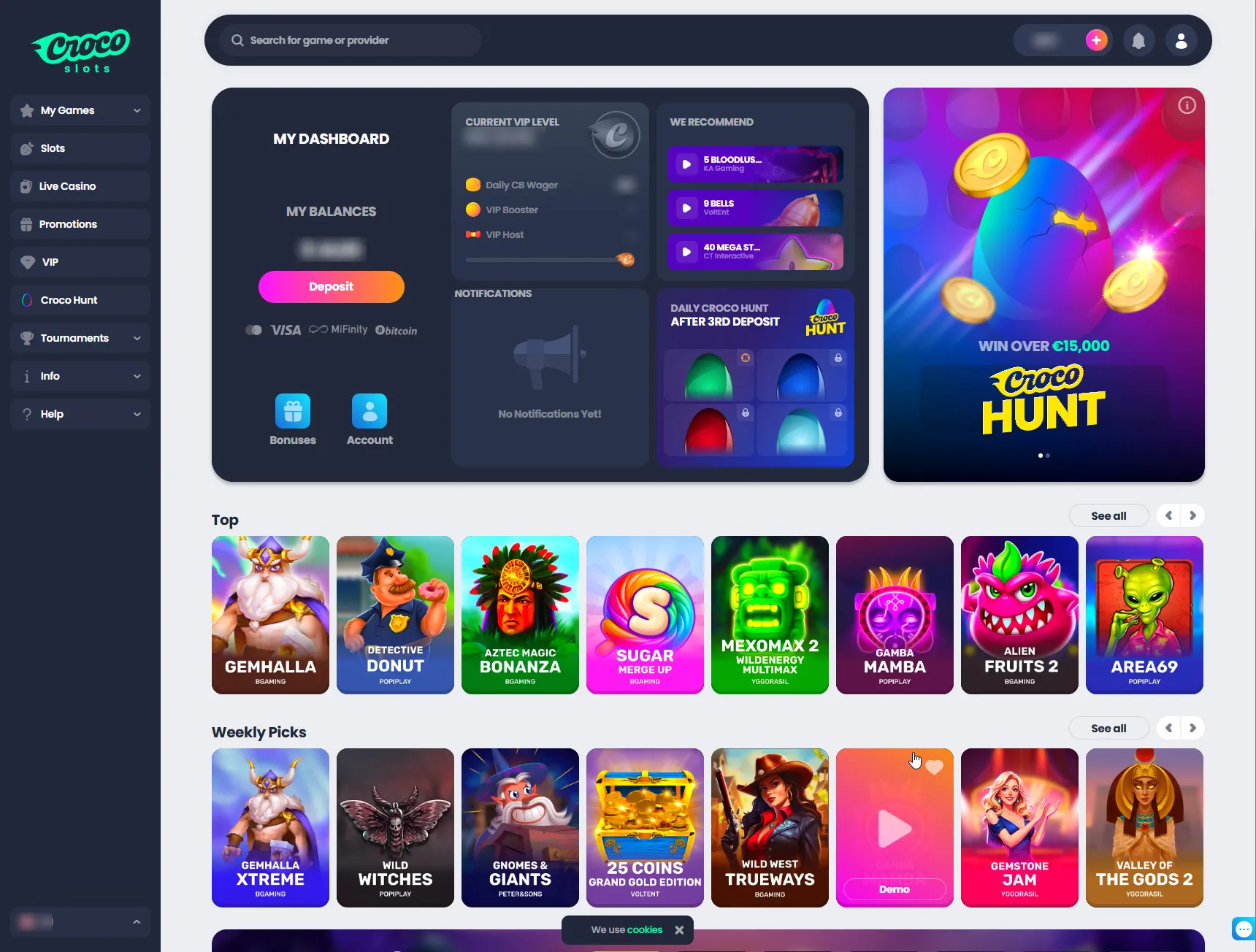
Once logged in, your main account dashboard gives you full visibility over your current wallet balance, withdrawable funds, and any bonus locks on the left sidebar. The middle section tracks your current VIP Level, daily cashback wagering requirements, and recommended games. You can use the top search bar to look up specific slot titles or software providers, or browse curated categories like Top games and Weekly Picks featuring popular titles such as Gemhalla, Detective Donut, Aztec Magic Bonanza, and Sugar Merge Up.
FAQ
How do I complete my registration at Crocoslots Casino?
To set up your account, click the Join button on the main homepage. You must provide a valid email address, a secure password, and your mobile number. Make sure to select Australia as your country and AUD as your currency before accepting the terms and conditions.
What should I do if I cannot remember my password?
If you are locked out of your account, open the Welcome Back overlay by clicking the Login button. Simply click the Reset Password link located directly under the password field to receive reset instructions via email.
Can Australian players deposit in local currency?
Yes, the platform fully supports Australian Dollars. By selecting AUD during the quick sign-up process, all of your dashboard balances, cashier limits, and in-game bets will be processed in your local currency.
What deposit methods can I use after logging in?
After executing your Crocoslots login, you can access the Quick Deposit cashier. Australian players can fund their accounts using Neosurf vouchers, MiFinity e-wallets, or various cryptocurrencies like Bitcoin, Ethereum, Dogecoin, and Litecoin.
Is profile verification required to withdraw funds?
Yes, before you can request a cashout, you must navigate to the Profile section from the main menu. You need to fill out your full name, date of birth, and address in the General tab, and upload your KYC documents in the Verification tab.